GUIDE & INSTRUCTION
How to use promo codes correctly
Step-by-step instructions on how to use promo codes on Industries Cheat.
If you have received a promo code, follow these simple steps to activate it.
Please note: promo codes only apply to our own products (marked with the 'PROMO' badge) and do not apply to partner/resold products.
Please note: promo codes only apply to our own products (marked with the 'PROMO' badge) and do not apply to partner/resold products.
01Step 1. Choose a product and go to the payment page
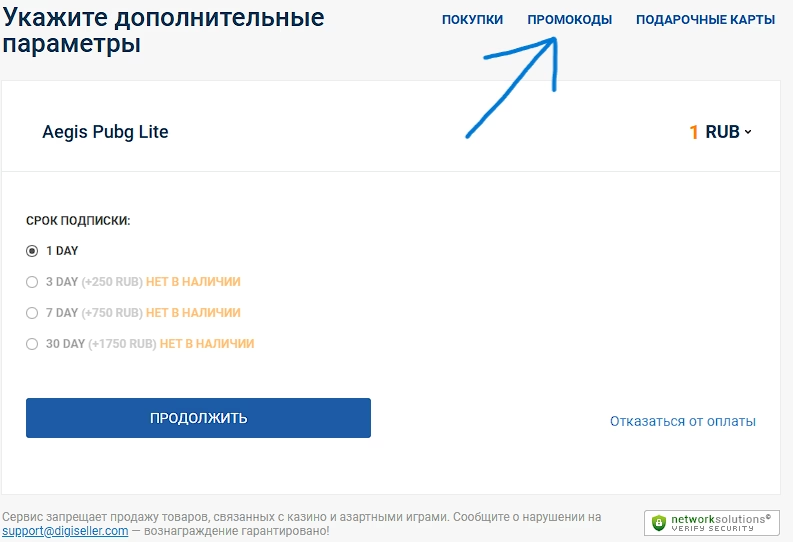
First, choose the product you want on our website and click the buy button to proceed to the payment page. On the opened page, find the 'Promo codes' button in the top menu (header) and go to the promo code activation page.
02Step 2. Enter your promo code
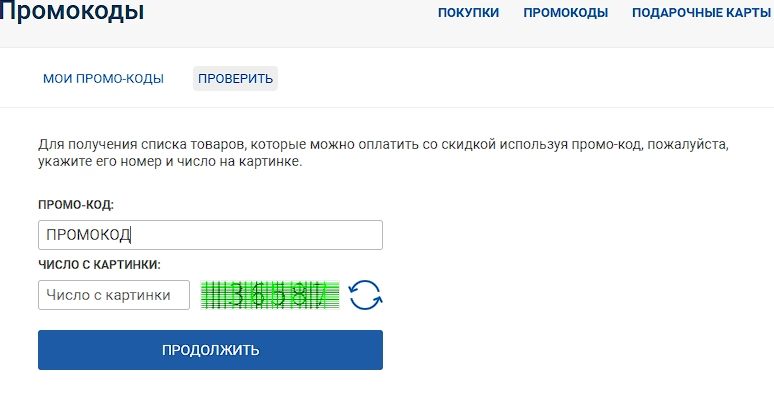
Enter the promo code you received in the designated field. After entering the code and solving the captcha, you will receive your personal discount on the product.